
Microsoft ended support for Windows 10 on 14 October 2025. Many organisations were not able to move all their devices to Windows 11 by that date and purchased a year of Windows 10 Extended Security Updates (ESU) in order to keep receiving security updates in the meantime. For business customers, that first year ended on 13 October 2026, and the second ESU year started on 14 October 2026 at twice the price of the first.
Windows 10 Extended Security Updates year 2: dates and costs
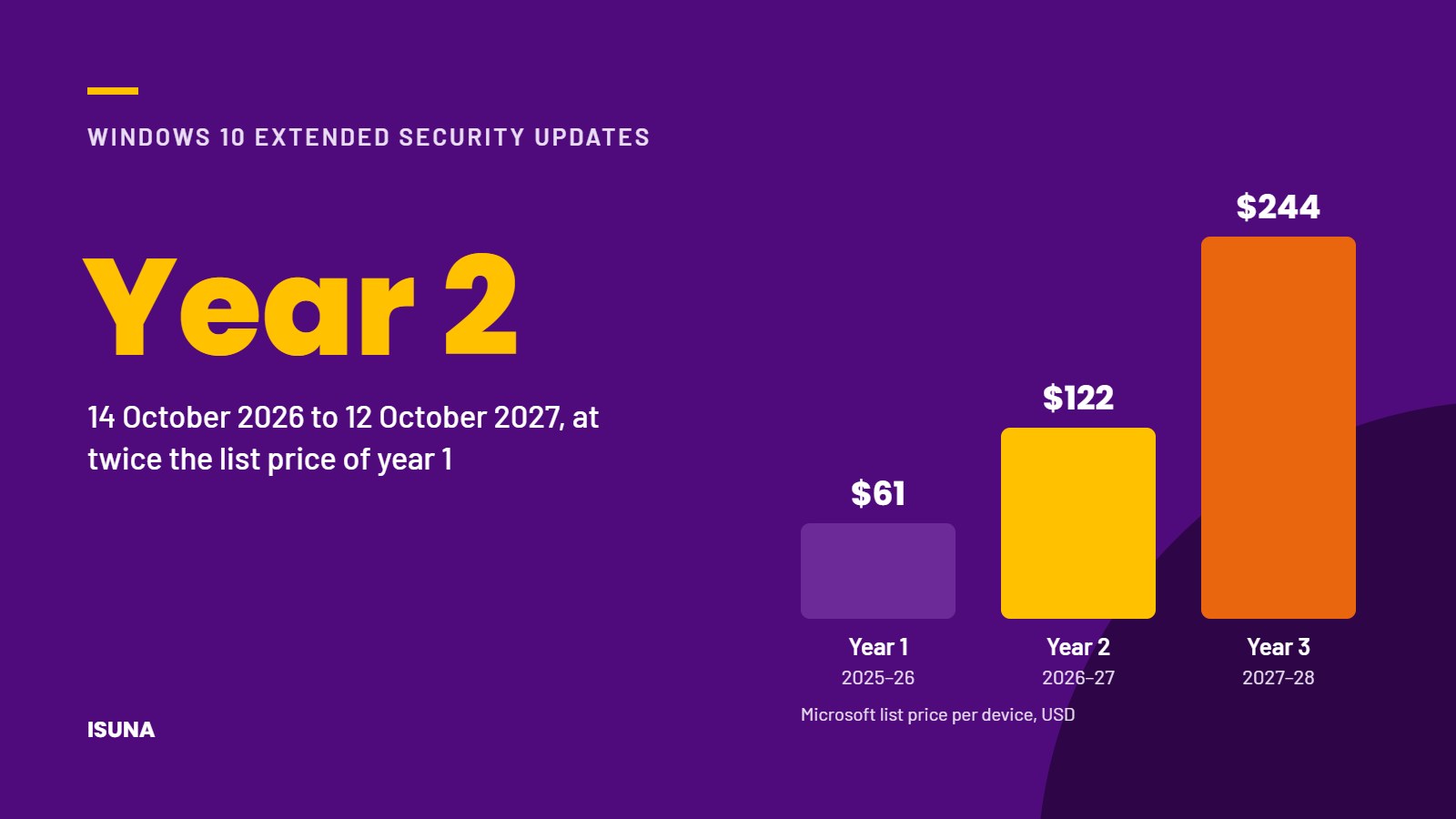
The second ESU year runs from 14 October 2026 to 12 October 2027. Microsoft's list price for business customers doubles every year: USD 61 per device for year 1, USD 122 for year 2 and USD 244 for year 3. Year 3 is the final year of the programme and ends on 10 October 2028.
Coverage is also cumulative. An organisation that joins the programme in year 2 must also pay for year 1, so postponing the decision does not reduce the total cost.
It is important to keep in mind that ESU only provides critical and important security updates. The programme does not include new features, fixes for problems that are not related to security, or technical support.
The free extension until 2027 does not apply to business devices
In June 2026, Microsoft extended its free ESU programme for consumers until 12 October 2027. This extension applies only to devices for personal use. Devices that are managed by an organisation fall under the paid business programme described above, so companies should not assume that the consumer extension covers their computers.
Why outdated Windows 10 devices are a business risk
A Windows 10 computer without security updates continues to work normally, which is why such devices are easily overlooked. Over time, however, they become increasingly vulnerable, and the consequences can extend beyond IT. Clients increasingly ask about unsupported operating systems in security questionnaires, and cyber insurers may ask the same question when a policy is renewed. A single forgotten device, such as a computer at reception, a PC in a meeting room or the laptop of an employee on long-term leave, can be enough to give an attacker access to the network.
Planning the migration from Windows 10 to Windows 11
We recommend a structured approach in 4 steps.
- Make a complete inventory of all Windows 10 devices that are still in use, including devices that are not used every day.
- Assign each device to 1 of 3 categories:
| Category | What to do |
|---|---|
| Upgrade | devices that meet the hardware requirements for Windows 11. Plan the upgrade and test important applications in advance. |
| Replace | devices that do not meet the requirements. For most organisations, the combined cost of ESU year 2 and year 3 makes replacement the more economical choice. |
| Extend temporarily | devices that must remain on Windows 10 for the time being, for example because of specialist software. Purchase ESU for these devices, separate them from the rest of the network where possible and set a clear end date. |
- Include replacement hardware in the budget for early 2027, so that the decision does not have to be made under time pressure in the autumn of 2027.
- After replacement, make sure that old devices are wiped and removed from device management, user accounts and licence administration.
Conclusion
With the start of the second and more expensive year of Windows 10 Extended Security Updates, continuing to use Windows 10 is becoming a costly temporary solution for businesses. A complete inventory and a clear decision for each device help to keep both costs and security risks under control. Device configuration, updates and lifecycle planning are part of ISUNA's managed IT services. We help you identify which devices need attention and what the most sensible next step is for each of them, without recommending hardware that you do not need. If your organisation still uses Windows 10 devices, we would be glad to map them out together with you.
Frequently asked questions
When does Windows 10 ESU year 2 end?
The second year of Windows 10 Extended Security Updates for businesses ends on 12 October 2027. The third and final year ends on 10 October 2028.
How much do Windows 10 Extended Security Updates cost for businesses?
Microsoft's list price is USD 61 per device for year 1, USD 122 for year 2 and USD 244 for year 3. Because coverage is cumulative, an organisation that joins in year 2 also pays for year 1.
Can businesses use the free consumer extension until 2027?
No. The free extension until 12 October 2027 applies only to devices for personal use. Devices managed by an organisation require the paid business programme.
The prices mentioned are Microsoft list prices in US dollars. Actual prices depend on the licensing channel.