
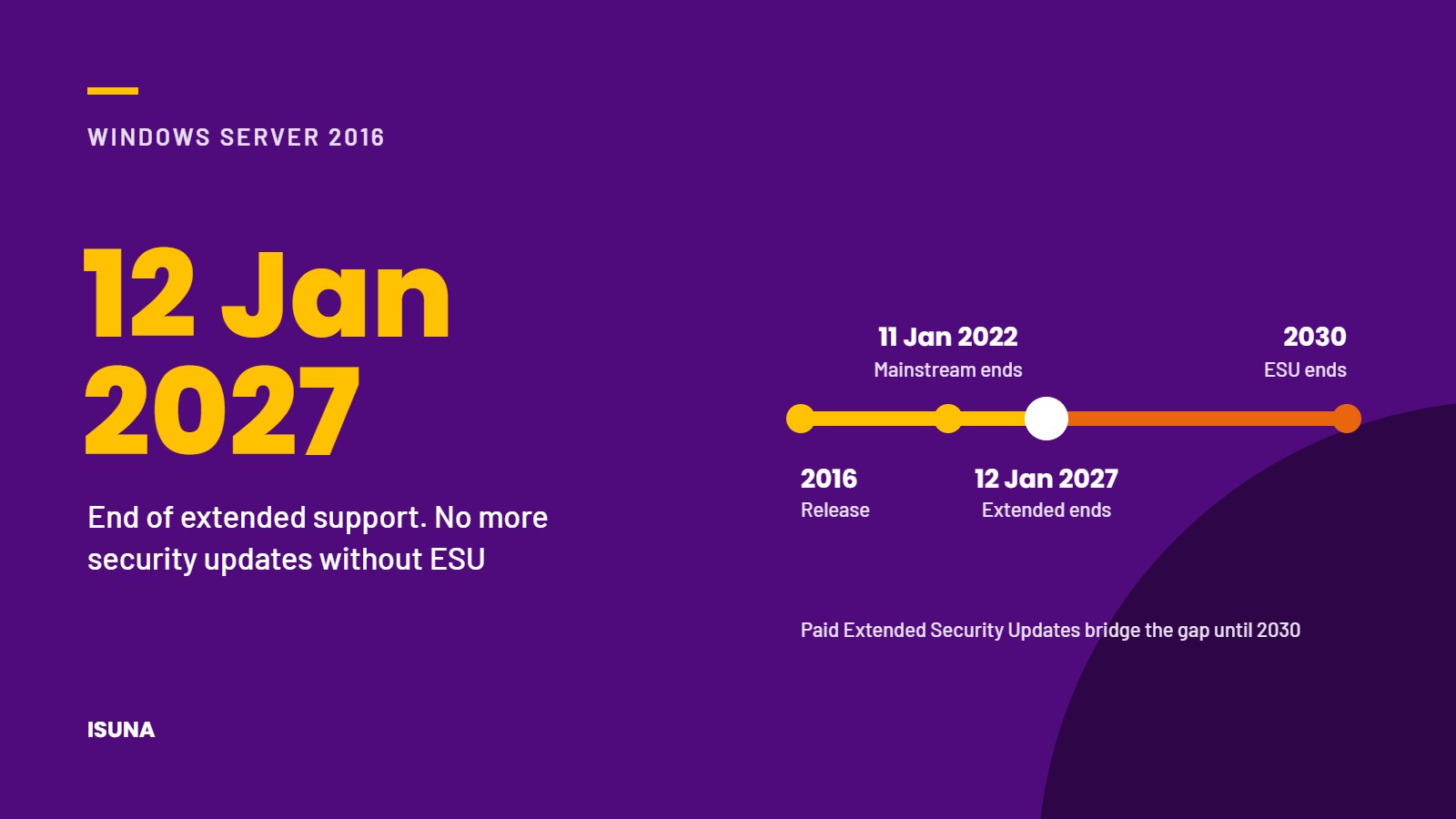
Microsoft will end extended support for Windows Server 2016 on 12 January 2027. Mainstream support for this version already ended on 11 January 2022, and since then the operating system has only received security updates. After 12 January 2027, those updates will also stop, unless the organisation purchases Extended Security Updates. For many small and medium-sized businesses, Windows Server 2016 still runs important services such as file storage, user management, business applications or databases. With less than 2 months to go, now is the time to make a decision for each server.
What end of support for Windows Server 2016 means
A server running Windows Server 2016 will continue to work after 12 January 2027. However, Microsoft will no longer release security updates, bug fixes or technical support for it. Vulnerabilities discovered after that date will remain open, which makes the server an increasingly attractive target for attackers. Because a server often holds central data and user accounts, an outdated server carries more risk than a single outdated laptop.
It is also worth checking which software runs on the server. Extended support for SQL Server 2016 already ended on 14 July 2026, and Exchange Server 2016 reached the end of extended support on 14 October 2025. A server that runs one of these products alongside Windows Server 2016 therefore faces more than 1 end-of-support issue at the same time.
Windows Server 2016 Extended Security Updates
Organisations that cannot complete the migration in time can purchase Extended Security Updates (ESU) for Windows Server 2016. ESU provides critical and important security updates for up to 3 years, until 2030, for the Standard and Datacenter editions. It does not include new features or fixes for problems that are not related to security.
ESU can be purchased through volume licensing or a Microsoft Cloud Solution Provider, or activated through Azure Arc, a Microsoft service that connects on-premises servers to the Azure management environment. Through Azure Arc, ESU for Windows Server 2016 can be configured since 3 August 2026, and billing starts on 13 January 2027. In all cases, ESU is intended as a temporary solution that gives an organisation extra time to migrate, not as a permanent alternative.
4 options for servers running Windows Server 2016
| Option | What it means |
|---|---|
| Upgrade to a supported version | Microsoft recommends Windows Server 2025 as the upgrade path. Before upgrading, check whether the hardware and the applications on the server support the new version. |
| Replace the server | If the hardware is several years old, it is often more sensible to replace the server and the operating system at the same time. |
| Move services to the cloud | Some services that traditionally run on a local server, such as file storage and user management, can also be provided through cloud services. This can reduce the number of servers that need to be maintained. |
| Purchase ESU temporarily | For servers that cannot be migrated in time, for example because of specialist software, ESU provides security updates for a limited period. In that case, set a clear end date for the migration. |
A practical plan for the coming weeks
Start by making an inventory of all servers and virtual machines that still run Windows Server 2016, together with the applications and data on each of them. Then decide for each server which of the 4 options applies, and schedule the work in order of risk, starting with servers that are reachable from the internet or that hold sensitive data. Before any migration, make sure that a recent and tested backup is available, so that data can be restored if a problem occurs. After the migration, old servers should be wiped and removed from the network, the backup system and the licence administration.
Conclusion
The end of support for Windows Server 2016 on 12 January 2027 affects many growing businesses that still rely on a local server. An inventory, a clear decision for each server and a tested backup are the most important steps to complete before that date. Where a migration cannot be completed in time, Extended Security Updates can bridge the gap for a limited period. Server management, updates and lifecycle planning are part of ISUNA’s managed IT services, and we help organisations choose the most suitable option for each server and carry out the migration within the agreed scope. If your organisation still uses Windows Server 2016, we would be glad to discuss the options with you.
Frequently asked questions
When does support for Windows Server 2016 end?
Extended support for Windows Server 2016 ends on 12 January 2027. Mainstream support already ended on 11 January 2022.
Will Windows Server 2016 stop working after January 2027?
No. The server will continue to work, but it will no longer receive security updates, bug fixes or technical support from Microsoft unless the organisation purchases Extended Security Updates.
How long are Extended Security Updates available for Windows Server 2016?
Extended Security Updates for Windows Server 2016 provide critical and important security updates for up to 3 years after the end of support, until 2030. They are available for the Standard and Datacenter editions.